
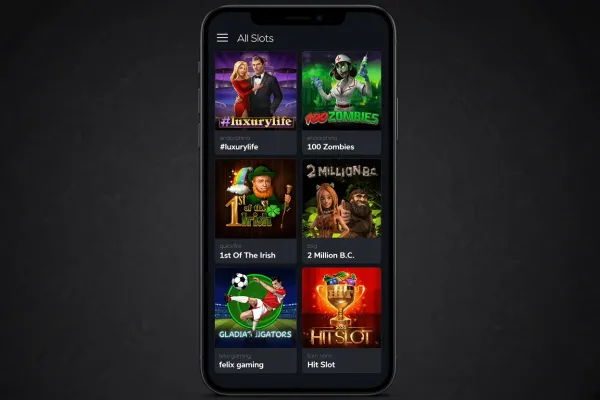
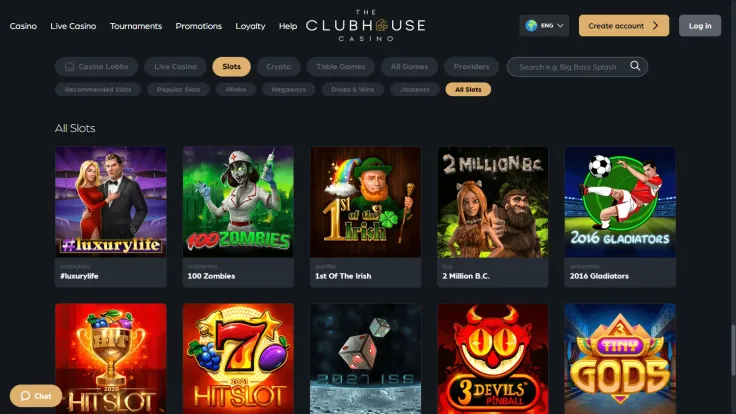
Clubhouse Casino mobile play runs through the mobile site in your phone's browser. The casino has no iPhone app and no Android app, so there is nothing to look for in an app store. The table above sets out the three options at a glance, and the numbered steps show how to get started in a browser.
This page covers what to expect on a small screen, what the lack of an app means in practice, and how to protect your account and data on a phone. The app overview deals with the app question in full, and the guides for logging in and signing up cover the account steps that come before you play.
What the mobile site means on a phone

Clubhouse Casino offers a mobile site and no native app. You open your phone's browser, go to the casino's website and play from there. Because there is no app, there is nothing to keep updated on your phone and no app-store account involved.
Clubhouse Casino has live casino among its games. Whatever you choose to play, a phone changes how you read and decide more than what is on offer. The screen is small, and it is easy to tap the wrong amount or the wrong payment method. Before you confirm any payment, read the amount and the method once more.
Text is also harder to read on a small screen. When you look at the terms of an offer, turn the phone sideways or zoom in so that you see every line, and read the whole text before you accept anything. A short summary of an offer never replaces its full terms.
Touch screens also make accidental taps easy. Make payments while you are seated and the phone is steady, not while walking or travelling, and check the screen before you confirm.
Playing in the browser instead of an app

With no iPhone or Android app, the steps above are the whole route: open your browser, go to the website, then log in or register. The Add to Home Screen option in those steps is a browser feature that places a shortcut on your phone, so the casino is one tap away without an app.
If a message, advert or website offers you an app file for Clubhouse Casino, or an app that is not from your phone's own app store, leave it alone. Installing apps from unknown sources can put your device and your account details at risk, and the casino has no app on either platform. Reach the casino only by typing its address yourself, or through a bookmark or shortcut that you made.
Keep your phone's browser and operating system up to date. Updates fix security problems, and a current browser is less likely to display a website badly. If a page looks wrong, closing the tab and opening it again, or trying another browser, is a quick check before you contact support.
Pay attention to the address bar too. Before you type a password or payment detail, make sure the address is the one you expect and that the connection is marked as secure. A page that looks right but sits at a different address is a common way for scammers to collect passwords, and a bookmark that you created yourself avoids the problem.
Keeping your account and data safe on a phone

Protect the phone first. Set a screen lock with a passcode or biometric check, and do not let other people use your phone while you are logged in to the casino. Log out when you finish, particularly if the phone is shared or may be lost. Do not save your password in a browser that other people can open.
Be careful with networks. Public Wi-Fi is shared with strangers, so avoid logging in or paying over it. Your own mobile data connection or a trusted home network is the safer choice. Casino pages with animation and video use more data than ordinary web pages, so check your plan's allowance and any roaming charges before you start.
Use the account's control tools, if the account offers them. Deposit limits and time-outs work better when you set them before you play and not afterwards. Choose an amount you can comfortably afford to lose, because gambling is entertainment that costs money.
Finally, keep an eye on your bank or card statements. A phone makes payments quick, which is exactly why it helps to know what has left your account. If a payment appears that you do not recognise, contact your bank first and then the casino's support.